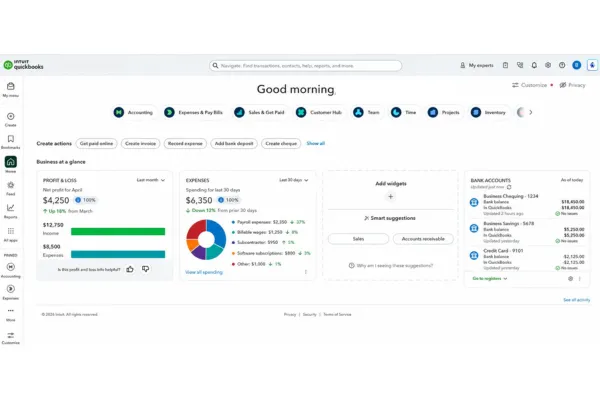
QuickBooks Online Has a New Look: Here’s What You Need to Know
If you’ve logged into QuickBooks Online recently and thought, “Where did everything go?” — you’re not alone.
QuickBooks has rolled out one of its biggest updates in years. While the core accounting functions are still the same, the layout, navigation, and automation tools have changed quite a bit.
The good news? Once you get familiar with the new setup, many of the changes actually make it easier to access your financial information, reports, invoices, receipts, and customer data.
For many of our clients, QuickBooks is primarily used to monitor business performance, review reports, upload receipts, check payroll information, and stay on top of cash flow. This update is designed to make those tasks faster and more organized.
What Changed in the New QuickBooks Layout?
The biggest change is how QuickBooks organizes the system navigation.
Previously, most users relied on the left-side menu to move between sections. Now, QuickBooks groups many functions into “Apps” or “Hubs,” creating a cleaner and more customizable workspace.
Some of the most noticeable updates include:
The old “+ New” button is now called “Create”
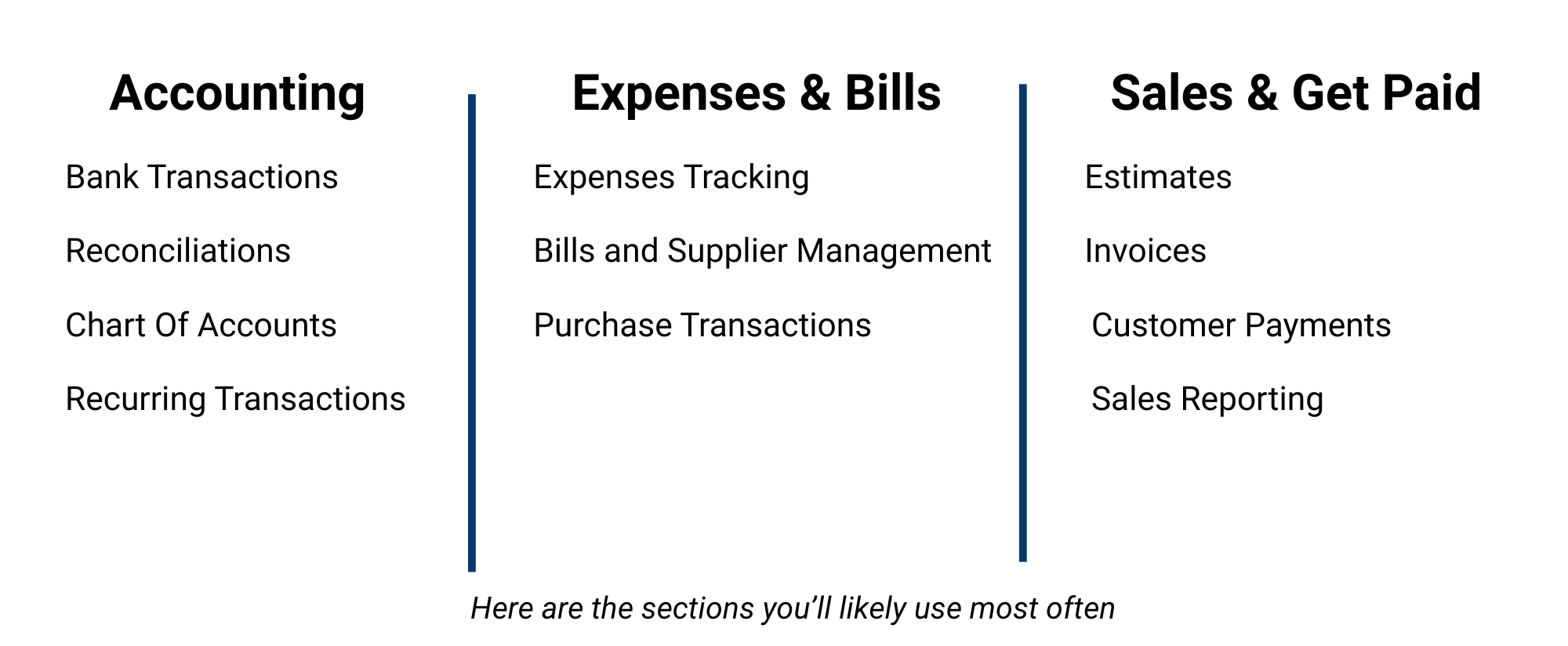
Sections are grouped into Apps like:
Accounting
Expenses & Bills
Sales & Get Paid
Payroll
Projects
A new Business Feed highlights tasks, reminders, and system suggestions
A smarter global search bar helps locate reports, customers, invoices, and transactions faster
Dashboards can now be customized with widgets and shortcuts
At first glance, the update can feel a little overwhelming. But after using it for a short time, most users find the new layout easier to navigate than the old version.
The Bookmark Feature Is One of the Best Additions
One of the most helpful new features is the Bookmarks section.
Bookmarks allow you to save the pages you use most often so you can access them quickly without clicking through multiple menus every time you log in.
For example, many business owners regularly access:
Customer lists
Supplier/vendor lists
Receipt uploads
Profit & Loss reports
Accounts Receivable
Bank transactions
Payroll screens
Invoice lists
If you use a page frequently, you can bookmark it and keep it easily accessible in the left-side navigation area.
It’s a small feature, but it can save a surprising amount of time and frustration.
Understanding the New “Apps” Navigation
QuickBooks now groups tasks into Apps that act as central hubs for related functions.
Here are a few of the main sections you’ll likely use most often:
Reports
The Reports section still works similarly to before, but now includes additional tools for:
Cash flow planning
Forecasting
Financial performance tracking
Smarter Search and Custom Dashboards
Another major improvement is the new smart search feature.
Instead of digging through menus, you can now search directly for:
Customers
Transactions
Reports
Help articles
Invoice amounts
Specific date ranges
For example, searching “transactions over $3,000” can quickly pull matching results without manually filtering reports.
The dashboard has also become much more customizable. You can now:
Rearrange widgets
Remove sections you don’t use
Prioritize the information most important to your business
This helps business owners focus on the numbers that matter most without unnecessary clutter.
AI and Automation Features Are Expanding
QuickBooks has also added several automation and AI-powered features designed to reduce manual work and improve efficiency.
Some of the newer tools include:
Automated transaction categorization
AI-assisted bank feed matching
Trend and anomaly detection
Forecasting tools
Automated reminders and insights
These features can absolutely help save time and improve organization, especially for busy business owners trying to stay on top of daily operations.
However, automation should never replace proper review and oversight.
Why Having a Professional Bookkeeper Still Matters
QuickBooks is always trying to improve the customer experience and stay up to date on the latest AI capabilities. When it comes to using AI, you should always check to make sure it is categorizing items correctly and processing payroll correctly. Accurate bookkeeping still requires human review and experience.
QuickBooks can automate many tasks and suggest categories, but it does not fully understand the unique details of your business, payroll setup, loan structures, or industry-specific expenses.
Automated systems can still make mistakes, especially when dealing with payroll processing, tax coding, loan payments, owner draws, etc. That’s why having a trained bookkeeper remains so important.
A professional bookkeeper helps ensure:
Financial reports are accurate
Expenses are categorized correctly
Payroll is processed properly
GST/HST filings are completed accurately
Bank accounts are reconciled correctly
Business decisions are based on reliable financial information
At the end of the day, QuickBooks is still a tool — and like any tool, the results depend on how it’s being used. Having an experienced bookkeeper reviewing your account regularly helps ensure your financial information stays accurate, organized, and useful for making confident business decisions.
Final Thoughts
Change can sometimes feel frustrating, especially when you rely on QuickBooks to help manage your business. But once you become familiar with the new layout and features, many of these updates can help simplify workflows, improve visibility, and save time.
Whether you’re adjusting to the new interface, learning the updated navigation, or trying to ensure your bookkeeping stays accurate, having the right support can make a huge difference.
Our team has Certified QuickBooks ProAdvisors on staff and we’re always happy to help answer questions, review your setup, or assist with your bookkeeping needs.
If you need help navigating the new QuickBooks Online experience, give our office a call at 780-538-4699 or email us at admin@bigbizgrowth.com.
